This website uses cookies.
By continuing to browse, you accept our use of cookies as explained in our Privacy Policy.
UltraColor Stretch™

Stop turning down tricky jobs. Create full-color transfers for spandex and nylon with UltraColor Stretch™.

Industry leading stretch and rebound
Decorate elastic apparel
Full-color printing with no limitations on detail
Industry leading stretch and rebound
Decorate elastic apparel
Full-color printing with no limitations on detail

UltraColor Stretch™ Hybrid Full Color Digital Transfers


Product Features
UltraColor Stretch™ has unmatched stretch and rebound. Its water-based formula is the ultimate solution full-color prints on elastic apparel.


Learn More About UltraColor Stretch™ Digital Transfers

Overview

UltraColor Stretch™ allows you to print full-color logos on more fabric choices. Take on more jobs with the ability to print on spandex, Lycra®, and woven nylon.

  • Available for order as gang sheet
  • Large sheet size: 11.5” x 18” sheets (6 sheet minimum) - fill up the sheet with as much as you want
  • Matte finish
  • Allows fine detail and free standing text
  • Lightweight and soft hand
  • Low temperature application for use on polyester and synthetic fabircs
  • High opacity on different colors and types of apparel
  • Digital CMYK color palette - prints full color
  • Great durability
  • Minimum Quantity: 6 sheets
  • Maximum Size: 11.5” x 18”
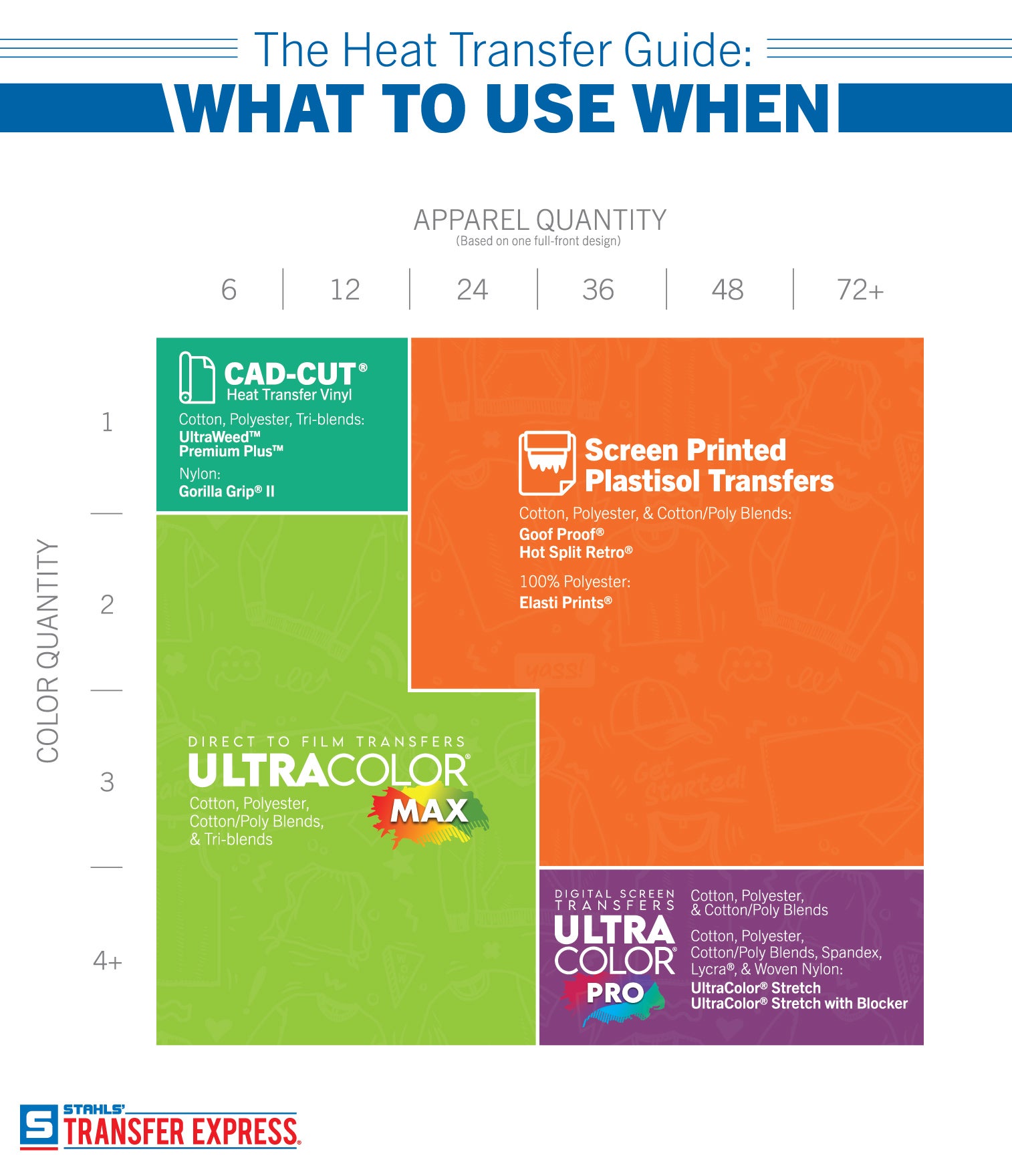
  • Recommended Fabrics: cotton, polyester, cotton/poly blends, spandex, Lycra®,
    woven nylon


Helpful Links


Get Free UltraColor Stretch Sample


Download UltraColor® color palette CMYK values


Certifications


Hybrid Heat Transfers

  • 6 Sheet minimum


Gang Sheet Pricing
Easy Prints®, Vector,
and Non-Vector
61218243648607290108144180216
Full Color32.2217.5113.5811.629.658.677.897.246.926.606.266.095.67

Pricing is in USD


Production Times

Order UltraColor Stretch™ (with or without Blocker) by 3 pm ET and your order will ship within 2 business days.


Shipping Times

Flat rate $15 shipping on all custom transfer orders.

All custom transfers arrive in 2 days or less using UPS Ground, to the 48 contiguous states.

Outside of 2 day ground service? We'll upgrade you to our Speedy Air at no extra charge, so you'll still receive your package in 2 days!


Artwork Type

You can send us vector or raster artwork and we can print it as is or with adjustments.

For raster images, a resolution of 300 dpi or better is recommended at the size you would like printed.

Upload the best artwork that you have.


Accepted File Types

.AI, .JPE, .JPEG, .JPG, .PDF, .PNG, .PSD, .SVG, .TIF, and .TIFF


Adobe Illustrator® - all versions

Adobe Acrobat® (PDF) - all versions

Jpgs (photos) - all versions

Photoshop® - all versions


For raster images, a minimum resolution of 150 dpi is required at the size you would like printed. For best results, we recommend a dpi of 300 or better to ensure print quality.


Production Details

  • Size: Maximum is 11.5″ x 18″.
  • Text: Convert all text to curves/outlines before uploading.
  • Colors: Full color, digitally printed in CMYK. Specify if white areas in your image print white or are show-thru (garment color). CMYK does not reproduce fluorescent or metallic colors.
  • Line Thickness: minimum of .038″ for printed areas
  • Show-Thru Thickness: no limit for non-printing areas
  • Special effects: Digital transfers are printed in full color and may contain special effects, fades, shadows, shading, and photographic images within the artwork. However, soft edges that fade to no ink are not able to be printed.


How to Apply


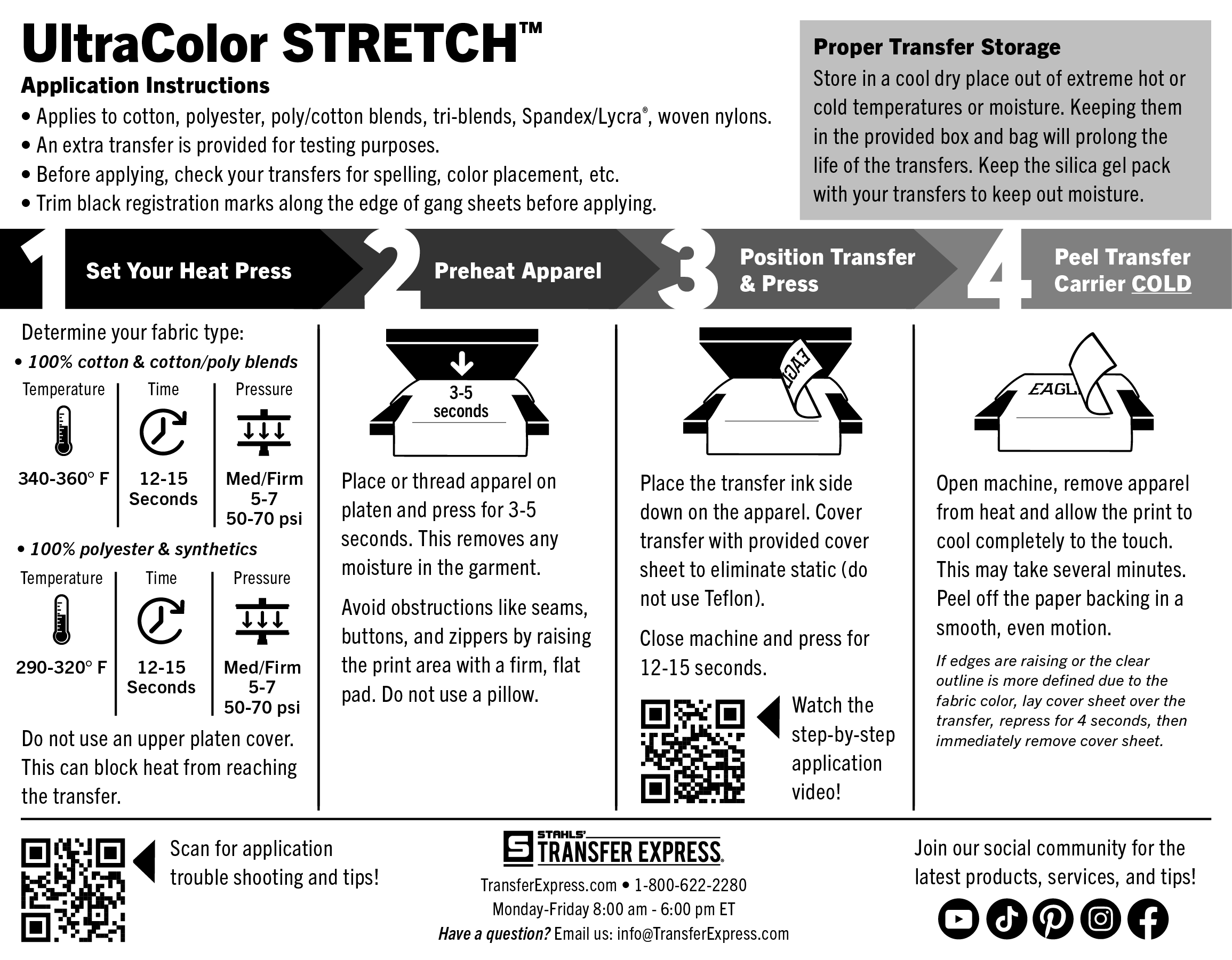
Pre-Production:
Please check transfers carefully before heat-applying.

Set Temperature:
For 100% cotton or cotton/poly blends, set the press to 340-360°F.
For 100% polyester and synthetics, set the press to 290-320°F.

Pre-Heat Garment:
First, place the garment on platen, heat press for 3-5 seconds or until there is no more steam to remove wrinkles and moisture. Ensure there are no obstructions such as buttons, pockets, or seams. If there are, raise only the print area with a Print Perfect Pad.

Position & Press:
Place the transfer on the garment so that the ink side is facing down.
For 100% cotton or cotton/poly blends, press for 12-15 seconds.
For 100% polyester and synthetics, press for 12-15 seconds.

Peel Cold:
Open the press and remove the shirt. Allow to cool completely to the touch. (This may take several minutes to cool completely.) Peel the carrier in a smooth, even motion.


UltraColor Stretch™ Application Settings

Icon Time: 12-15 Seconds
Icon Temperature: Cotton and cotton/poly 340-360°F | 100% Polyester/synthetics 290-320°F
Icon Pressure: Medium 6 (60 psi)
Icon Peel: Cold


Note: The recommended time, temperature, and pressure settings are for Stahls' Hotronix® heat press machines. Settings on other heat presses may vary.


Additional Notes

Icon Use a cover sheet to reduce static buildup.
Icon Do not use a pillow.
Icon Trim black registration marks along edge of gang sheets before applying.


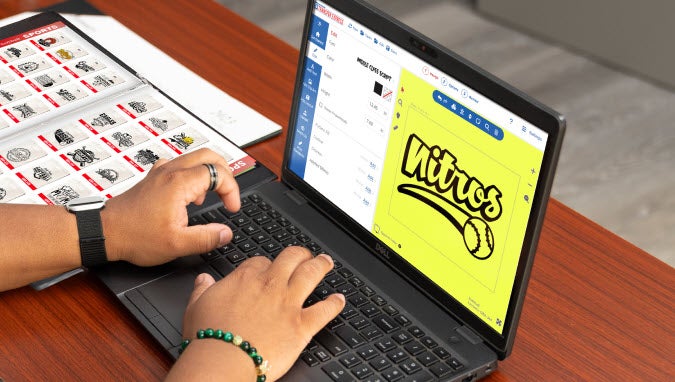
Design Hybrid Digital Transfers in Easy View® Designer
With over 250 fonts and thousands of quality clip art choices, you can customize any layout to have a unique, personal look for all of your full-color transfers.
Icon Quality features with no hidden fees or charges
Icon Create custom t-shirt designs with ease
Icon Receive free samples in the mail
Image
CREATE YOUR ACCOUNT TODAY
Hi! I’m R.O.S.I.E., the Robotic Online Support Information and Education bot. What answers can I help you find today?