

Learn More About AquaTru Screen Printed Transfers
AquaTru® transfers are low-temperature screen printed transfers designed for heat application on performance wear made of polyester, Spandex, Lycra® and woven nylons. Made with soft and lightweight water-based ink, they offer high stretch and rebound with optional blocker to prevent dye migration.
- Available for order as gang sheet
- Standard sheet size is 12" x 19"
- Matte finish with no shine or tackiness
- High stretch and rebound
- Low temperature application
- Great durability
- Contains a thin, clear outline
- Minimum Quantity: 50 sheets
- Maximum Size: 12" x 19"
- Recommended Fabrics: cotton, polyester, cotton/poly blends, Spandex, Lycra®, woven nylons, heat -sensitive fabrics

Gang Sheets
- Sheet size: 12" x 19"
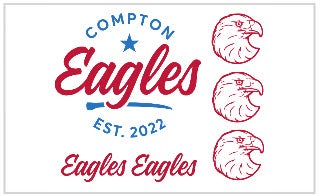
- Add as many images to the sheet as you can fit
- Minimum 50 sheet order
- Color changes available
- Color matches available
- Available in Easy View® online designer
- Easy Prints, Vector, and Non-Vector pricing
- Single or multi color (26 stock color options to choose from)
- Rushes available
Transfer Types:
- Goof Proof® (Gang Sheets and Single Image)
- Goof Proof® Premium (Gang Sheets and Single Image)
- Hot Split Retro
- Elasti Prints®
- Puff
- AquaTru®
- UltraColor Max™
- UltraColor Pro™
- UltraColor Stretch™ (with or without blocker)
Transfer Types:
- Goof Proof® (Gang Sheets and Single Image)
- Goof Proof® Premium (Gang Sheets and Single Image)
- Hot Split Retro
- Elasti Prints®
- Puff
- AquaTru®
- UltraColor Max™
- UltraColor Pro™
- UltraColor Stretch™ (with or without blocker)
Note: May be used as background colors for multi-color Goof Proof transfers
Transfer Types:
- Goof Proof® (Gang Sheets and Single Image)
- Goof Proof® Premium (Gang Sheets and Single Image)
- Hot Split Retro
- Elasti Prints®
- Puff
- AquaTru®
- UltraColor Max™
- UltraColor Pro™
- UltraColor Stretch™ (with or without blocker)
PMS:
2330C
Note: May be used as background colors for multi-color Goof Proof transfers
Transfer Types:
- Goof Proof® (Gang Sheets and Single Image)
- Goof Proof® Premium (Gang Sheets and Single Image)
- Hot Split Retro
- Elasti Prints®
- AquaTru®
PMS:
877C
Note: May be used as background colors for multi-color Goof Proof transfers
Transfer Types:
- Goof Proof® (Gang Sheets and Single Image)
- Goof Proof® Premium (Gang Sheets and Single Image)
- Hot Split Retro
- Elasti Prints®
- Puff
- AquaTru®
- UltraColor Max™
- UltraColor Pro™
- UltraColor Stretch™ (with or without blocker)
PMS:
423C
Note: May be used as background colors for multi-color Goof Proof transfers
Transfer Types:
- Goof Proof® (Gang Sheets and Single Image)
- Goof Proof® Premium (Gang Sheets and Single Image)
- Hot Split Retro
- Elasti Prints®
- Puff
- AquaTru®
- UltraColor Max™
- UltraColor Pro™
- UltraColor Stretch™ (with or without blocker)
PMS:
7540C
Transfer Types:
- Goof Proof® (Gang Sheets and Single Image)
- Goof Proof® Premium (Gang Sheets and Single Image)
- Hot Split Retro
- Elasti Prints®
- Puff
- AquaTru®
- UltraColor Max™
- UltraColor Pro™
- UltraColor Stretch™ (with or without blocker)
PMS:
186C
Transfer Types:
- Goof Proof® (Gang Sheets and Single Image)
- Goof Proof® Premium (Gang Sheets and Single Image)
- Hot Split Retro
- Elasti Prints®
- Puff
- AquaTru®
- UltraColor Max™
- UltraColor Pro™
- UltraColor Stretch™ (with or without blocker)
PMS:
7421C
Transfer Types:
- Goof Proof® (Gang Sheets and Single Image)
- Goof Proof® Premium (Gang Sheets and Single Image)
- Hot Split Retro
- Elasti Prints®
- Puff
- AquaTru®
- UltraColor Max™
- UltraColor Pro™
- UltraColor Stretch™ (with or without blocker)
PMS:
1495C
Note: May be used as background colors for multi-color Goof Proof transfers
Transfer Types:
- Goof Proof® (Gang Sheets and Single Image)
- Goof Proof® Premium (Gang Sheets and Single Image)
- Hot Split Retro
- Elasti Prints®
- Puff
- AquaTru®
- UltraColor Max™
- UltraColor Pro™
- UltraColor Stretch™ (with or without blocker)
PMS:
172C
Note: May be used as background colors for multi-color Goof Proof transfers
Transfer Types:
- Goof Proof® (Gang Sheets and Single Image)
- Goof Proof® Premium (Gang Sheets and Single Image)
- Hot Split Retro
- Elasti Prints®
- Puff
- AquaTru®
- UltraColor Max™
- UltraColor Pro™
- UltraColor Stretch™ (with or without blocker)
PMS:
2019C
Note: May be used as background colors for multi-color Goof Proof transfers
Transfer Types:
- Goof Proof® (Gang Sheets and Single Image)
- Goof Proof® Premium (Gang Sheets and Single Image)
- Hot Split Retro
- Elasti Prints®
- Puff
- AquaTru®
- UltraColor Max™
- UltraColor Pro™
- UltraColor Stretch™ (with or without blocker)
PMS:
108C
Note: May be used as background colors for multi-color Goof Proof transfers
Transfer Types:
- Goof Proof® (Gang Sheets and Single Image)
- Goof Proof® Premium (Gang Sheets and Single Image)
- Hot Split Retro
- Elasti Prints®
- Puff
- AquaTru®
- UltraColor Max™
- UltraColor Pro™
- UltraColor Stretch™ (with or without blocker)
PMS:
1225C
Transfer Types:
- Goof Proof® (Gang Sheets and Single Image)
- Goof Proof® Premium (Gang Sheets and Single Image)
- Hot Split Retro
- Elasti Prints®
- Puff
- AquaTru®
- UltraColor Max™
- UltraColor Pro™
- UltraColor Stretch™ (with or without blocker)
PMS:
1235C
Note: May be used as background colors for multi-color Goof Proof transfers
Transfer Types:
- Goof Proof® (Gang Sheets and Single Image)
- Goof Proof® Premium (Gang Sheets and Single Image)
- Hot Split Retro
- Elasti Prints®
- AquaTru®
Note: May be used as background colors for multi-color Goof Proof transfers
Transfer Types:
- Goof Proof® (Gang Sheets and Single Image)
- Goof Proof® Premium (Gang Sheets and Single Image)
- Hot Split Retro
- Elasti Prints®
- Puff
- AquaTru®
- UltraColor Max™
- UltraColor Pro™
- UltraColor Stretch™ (with or without blocker)
PMS:
451C
Transfer Types:
- Goof Proof® (Gang Sheets and Single Image)
- Goof Proof® Premium (Gang Sheets and Single Image)
- Hot Split Retro
- Elasti Prints®
- Puff
- AquaTru®
- UltraColor Max™
- UltraColor Pro™
- UltraColor Stretch™ (with or without blocker)
PMS:
348C
Transfer Types:
- Goof Proof® (Gang Sheets and Single Image)
- Goof Proof® Premium (Gang Sheets and Single Image)
- Hot Split Retro
- Elasti Prints®
- Puff
- AquaTru®
- UltraColor Max™
- UltraColor Pro™
- UltraColor Stretch™ (with or without blocker)
PMS:
357C
Transfer Types:
- Goof Proof® (Gang Sheets and Single Image)
- Goof Proof® Premium (Gang Sheets and Single Image)
- Hot Split Retro
- Elasti Prints®
- Puff
- AquaTru®
- UltraColor Max™
- UltraColor Pro™
- UltraColor Stretch™ (with or without blocker)
PMS:
2128C
Note: May be used as background colors for multi-color Goof Proof transfers
Transfer Types:
- Goof Proof® (Gang Sheets and Single Image)
- Goof Proof® Premium (Gang Sheets and Single Image)
- Hot Split Retro
- Elasti Prints®
- Puff
- AquaTru®
- UltraColor Max™
- UltraColor Pro™
- UltraColor Stretch™ (with or without blocker)
PMS:
300C
Transfer Types:
- Goof Proof® (Gang Sheets and Single Image)
- Goof Proof® Premium (Gang Sheets and Single Image)
- Hot Split Retro
- Elasti Prints®
- Puff
- AquaTru®
- UltraColor Max™
- UltraColor Pro™
- UltraColor Stretch™ (with or without blocker)
PMS:
2129C
Note: May be used as background colors for multi-color Goof Proof transfers
Transfer Types:
- Goof Proof® (Gang Sheets and Single Image)
- Goof Proof® Premium (Gang Sheets and Single Image)
- Hot Split Retro
- Elasti Prints®
- Puff
- AquaTru®
- UltraColor Max™
- UltraColor Pro™
- UltraColor Stretch™ (with or without blocker)
PMS:
7686C
Transfer Types:
- Goof Proof® (Gang Sheets and Single Image)
- Goof Proof® Premium (Gang Sheets and Single Image)
- Hot Split Retro
- Elasti Prints®
- Puff
- AquaTru®
- UltraColor Max™
- UltraColor Pro™
- UltraColor Stretch™ (with or without blocker)
PMS:
7693C
Transfer Types:
- Goof Proof® (Gang Sheets and Single Image)
- Goof Proof® Premium (Gang Sheets and Single Image)
- Hot Split Retro
- Elasti Prints®
- Puff
- AquaTru®
- UltraColor Max™
- UltraColor Pro™
- UltraColor Stretch™ (with or without blocker)
PMS:
2380C
Transfer Types:
- Goof Proof® (Gang Sheets and Single Image)
- Goof Proof® Premium (Gang Sheets and Single Image)
- Hot Split Retro
- Elasti Prints®
- Puff
- AquaTru®
- UltraColor Max™
- UltraColor Pro™
- UltraColor Stretch™ (with or without blocker)
PMS:
3566C
Transfer Types:
- Goof Proof® (Gang Sheets and Single Image)
- Goof Proof® Premium (Gang Sheets and Single Image)
- Hot Split Retro
- Elasti Prints®
- Puff
- AquaTru®
- 50 Sheet minimum order
| Easy Prints®, Vector, and Non-Vector | 50 | 100 | 200 | 300 | 400 | 500 | 700 | 1,000 |
| 1 COLOR | 8.64 | 6.65 | 5.66 | 5.32 | 5.03 | 4.93 | 4.82 | 4.73 |
| 2 COLOR | 10.34 | 7.96 | 6.77 | 6.37 | 6.02 | 5.90 | 5.76 | 5.66 |
| 3 COLOR | 12.04 | 9.27 | 7.88 | 7.42 | 7.01 | 6.87 | 6.71 | 6.59 |
| 4 COLOR | 13.74 | 10.57 | 8.99 | 8.46 | 8.00 | 7.84 | 7.66 | 7.52 |
Pricing is in USD per sheet
Order AquaTru® transfers by 1 pm ET and your order will ship within 8 business days.
Flat rate $15 shipping on all custom transfer orders.
All custom transfers arrive in 2 days or less using UPS Ground, to the 48 contiguous states.
Outside of 2 day ground service? We'll upgrade you to our Speedy Air at no extra charge, so you'll still receive your package in 2 days!
Screen printed transfers require vector artwork.
You can send us vector artwork and we can print it as is or with adjustments.
You can send us raster (non-vector) artwork that we will redraw/convert to vector.
Upload the best artwork that you have.
.AI, .JPE, .JPEG, .JPG, .PDF, .PNG, .PSD, .SVG, .TIF, .TIFF, and .TXT
Adobe Illustrator® - all versions
Adobe Acrobat® (PDF) - all versions
Adobe Photoshop® - all versions
Jpgs (photos) - we will redraw these types of files in a vector format
- Size: Maximum sheet size is 12″ x 19″
- Text: Convert all text to curves/outlines
- Colors: We use spot colors for screen printing. You can use spot colors when creating art, but it is not required. Use consistent colors in your file.
- Line Thickness: Without blocker: minimum .042″ line thickness for printed areas.
WITH blocker: minimum .063″ line thickness for printed areas. - Show-Thru Thickness: minimum of .028″ for non-printing areas
- Special effects: Some special effects such as fades and shading can’t be produced with screen printing. Consider full color transfers if your art contains these.
You can send us vector or raster artwork and we can print it as is or with adjustments. Artwork will print as it is provided. We will not edit artwork in any way unless it is requested or if the design requires artist attention. When artist help is requested or required, a digital art proof will be provided for $26. Production turnaround will begin upon proof approval.
Pre-Production:
Please check transfers carefully before heat-applying.
Set Temperature:
Set the press to 305°F
Pre-Heat Garment:
First, place the garment on platen, heat press for 3-5 seconds or until there is no more steam to remove wrinkles and moisture. Ensure there are no obstructions such as buttons, pockets, or seams. If there are, raise only the print area with a Print Perfect Pad.
Position & Press:
Place the transfer on the garment so that the ink side is facing down. Close the heat press and apply for 15 seconds.
Peel Hot:
Open the press and peel the carrier immediately within 1-2 seconds, in a smooth, even motion.
 Time: 15 Seconds
 Temperature: 305°F
 Pressure: Medium 7 (70 psi)
 Peel: Hot
Note: The recommended time, temperature, and pressure settings are for Stahls' Hotronix® heat press machines. Settings on other heat presses may vary.